



 2 hour LIVE Interactive Sessions on Mondays












What You'll build in 6 weeks
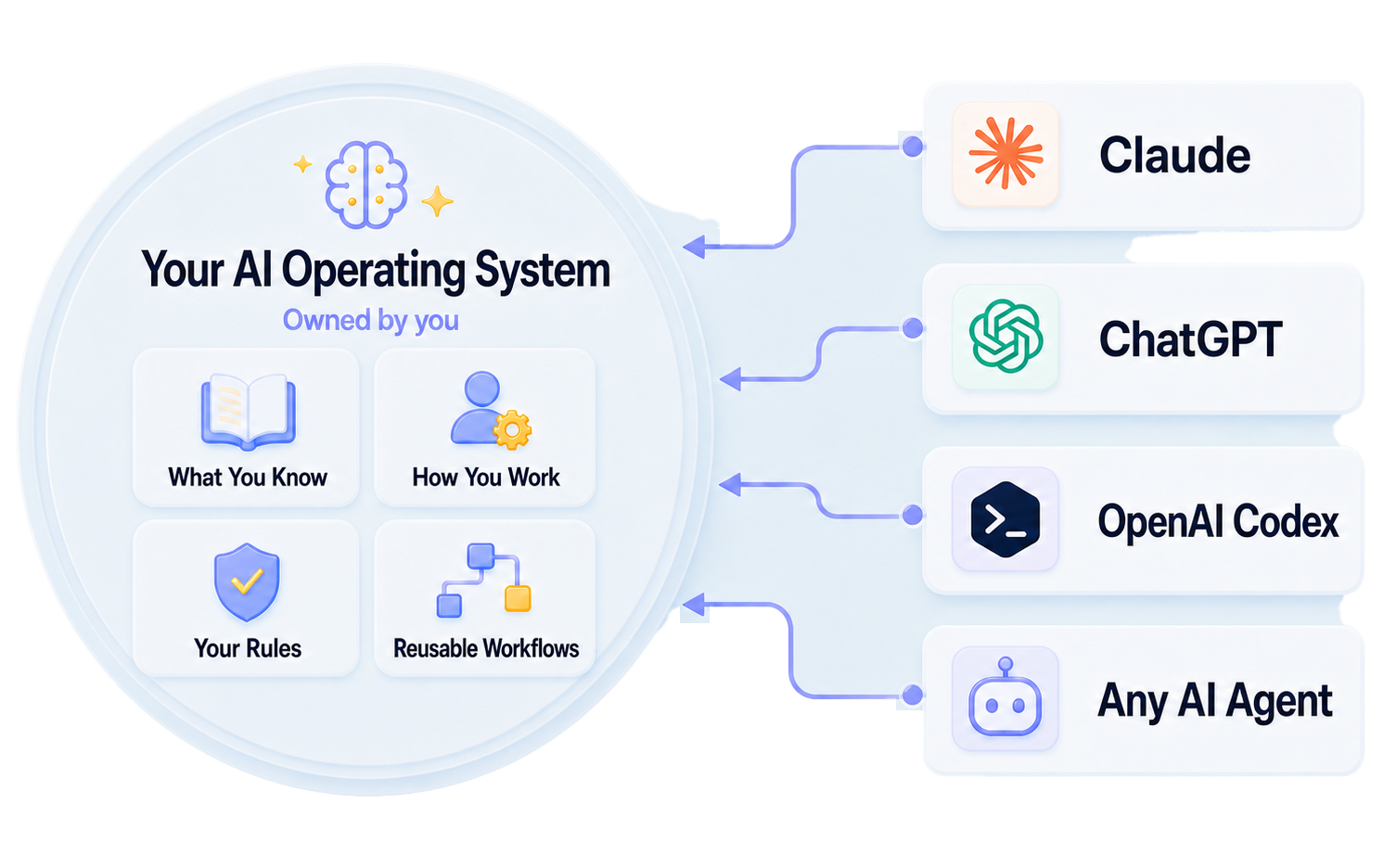
Week 1, you build the AI Operating System. Every week after that, you add to it.
In this hands-on program, you’ll learn to turn the way you work into clear, reusable processes AI can help run, so you can streamline recurring work, improve efficiency, and create more leverage in your business or role.
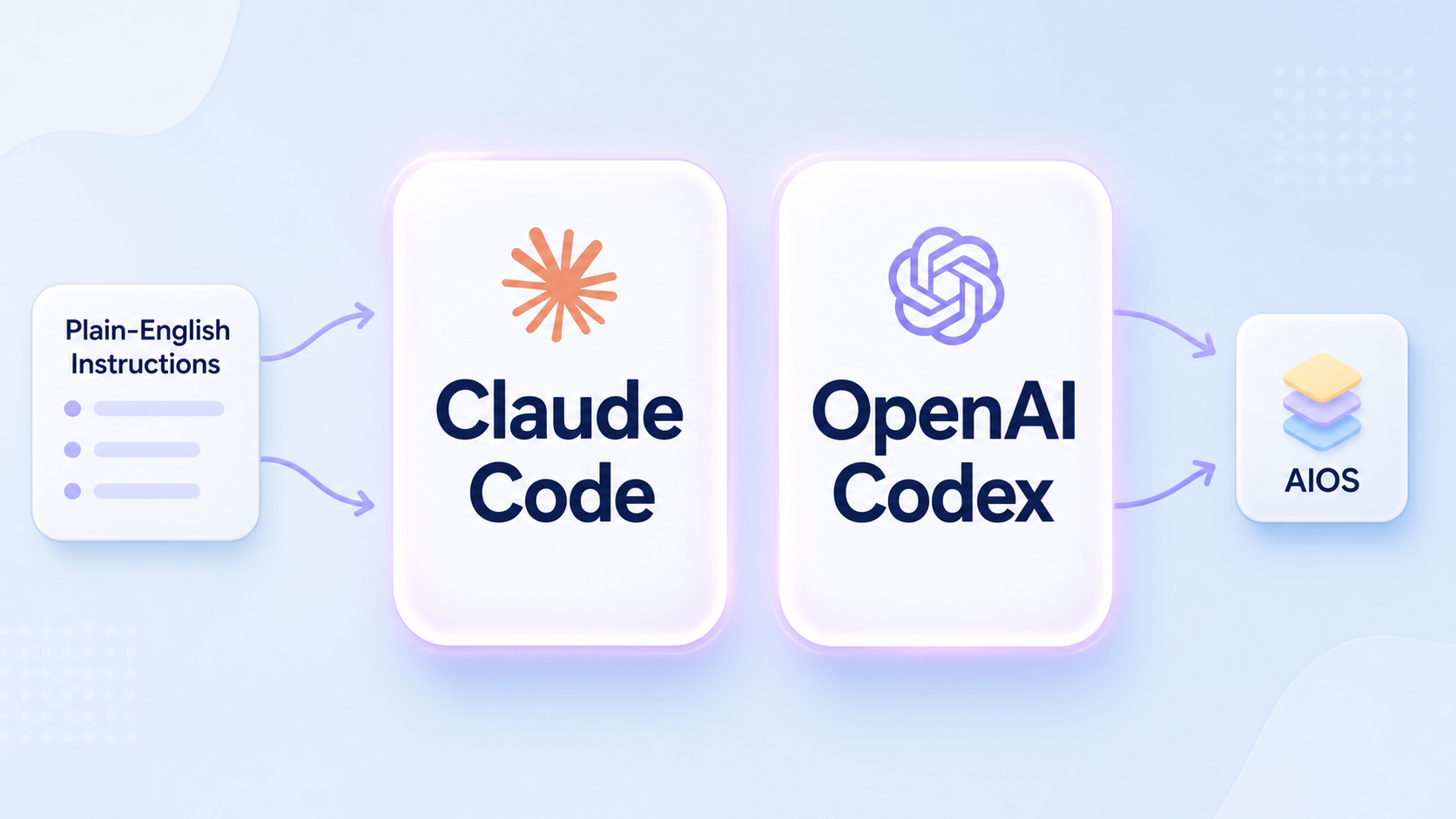
You'll map how the work happens, choosing what to build first, defining one process well enough to hand over to AI, then using Claude Code or OpenAI Codex to build it into your AI Operating System. Then you'll do it again.
You'll also know how to think in systems, so you can keep improving what you built after the cohort ends.
By the end, you'll have
Week 1
Your AI Operating System, Working by the End of the Week
Build the foundation everything else will run on. You’ll create the first structure, instructions, and reusable skill that everything else builds on, then put it to work before the week is over.
In Week 1, you build the system your AI works from.
You’ll decide what belongs in your system, how it should be organized, and how your AI should find and use what’s inside.
You’ll learn what makes a structure hold up, then build yours around the way your work actually happens. And you’ll put it to work before the week is over.
You’ll learn how to:
- Structure your system so an agent finds what it needs without reading everything
- Decide what your AI should always know, and what it should only look up when it needs to
- Write the first instructions your AI can follow
- Connect your first tool safely
- Package work you repeat into a reusable skill, so you don’t have to explain it twice
By the end of the week, you’ll have:
- The first working version of your AI Operating System
- The first instructions your AI follows
- Your first reusable skill, built and tested
- Work completed through the system, with the result saved where it belongs
Everything you build over the next five weeks builds on this structure.
JAN
18
2 hour LIVE interactive learning session with Nelly
JAN
20
1 hour LIVE Q&A session with Nelly
JAN
22
2 hour LIVE Show & Tell session
Week 2
See Your Work as a System and Choose What to Build First
You can’t automate chaos. You’ll see how your work breaks down into processes, score what’s costing you time and money, and learn where AI can help before you choose what to build first.
Most people don't design the way their work gets done. They fall into it.
A workaround becomes a step. A step becomes a habit. A habit becomes "how we do this."
Add AI to that and the messy process creates more chaos, faster.
In Week 2, you’ll learn to see how your work breaks down into processes and systems. You’ll score the repeated work that’s costing you time and money and choose the first process to build into your AI Operating System. Then you’ll map that process end to end.
You’ll also learn what AI is capable of, so you can see where it can actually help before you decide what to hand to it.
You'll learn how to:
- Map one process as it actually happens today
- Spot where the work slows down, waits, repeats, or depends on a decision
- Understand the AI capabilities that matter for your work
- Score what you find by time, effort, risk, and value
- Decide what to remove, simplify, hand off, or build into your AI Operating System
By the end of the week, you'll have:
- A map of one process, start to finish
- A number for what that process is costing you
- A scored list of what to improve, hand off, or build
- At least one step you removed, simplified, or handed off before adding AI
The process you choose this week becomes the one you specify, build, test, and run over the next few weeks. The rest of the list becomes your roadmap.
JAN
25
2 hour LIVE interactive learning session with Nelly
JAN
27
1 hour LIVE Q&A session with Nelly
JAN
29
2 hour LIVE Show & Tell session
Week 3
Make One Process Build-Ready, End to End
Poor results from AI usually come from a process that was never fully defined. You'll capture the hidden layers of your work: the requirements, rules, and guardrails an agent needs before it can run the process the way you would.
When an automation or agent delivers poor results, it is usually because the process was not build-ready.
The steps might be there.
But the requirements are fuzzy.
The rules still live in your head.
The guardrails were not defined.
So the AI does what it can: it follows the obvious steps and guesses at everything else.
Week 3 is how you prevent that from happening.
You take the process you chose in Week 2 and define it: what goes in, what comes out, what rules apply, what good work looks like, what AI is allowed to do, and where it has to stop and ask you.
This is the work that makes the build possible.
You’ll learn how to:
- Turn a process map into something build-ready
- Define inputs, outputs, rules, and success criteria
- Write examples that show what good work looks like
- Define the decisions AI should not make alone
- Set guardrails around what it can read, change, send, or save
- Create the shared instructions future processes can build on
By the end of the week, you’ll have:
- One process defined well enough to hand over
- The rules and examples your agent needs to follow it
- Shared instructions that improve everything you build after this
This is what gets built next week.
FEB
01
2 hour LIVE interactive learning session with Nelly
FEB
03
1 hour LIVE Q&A session with Nelly
FEB
05
2 hour LIVE Show & Tell session
Week 4
Watch One Process Get Built, Then Build Your Own
Now you’re ready to add your first process inside your AI Operating System. I'll fully demonstrate how to build one. Then you will build your own, test it, and tighten it before you trust it.
Because you did the groundwork in Week 3, you’re not building from a blank page. You’re building from a strategic plan.
I'll first demonstrate the of build one process, so you can see how the pieces come together, where it needs to be tested, and how to tighten it before you trust it.
Then you’ll build your own.
You’ll learn how to:
- Turn a defined process into something an agent can run
- Test the process before you rely on it
- Spot where the agent misunderstood the instructions
- Tighten the rules, examples, or limits when the output is wrong
- Decide where the process should stop and wait for you
By the end of the week, you’ll have:
- Your first process running inside your AI Operating System
- A tested first version you can keep improving
- A repeatable way to catch and fix problems
- Clear limits around what the agent can and cannot do
FEB
08
2 hour LIVE interactive learning session with Nelly
FEB
10
1 hour LIVE Q&A session with Nelly
FEB
12
2 hour LIVE Show & Tell session
Week 5
Build the Next Process Into Your AI Operating System
This is where your AI Operating System starts to compound. You add another process to the same system, then learn the advanced ways to extend it without turning it into another collection of disconnected automations.
In Week 5, you take the next process through the full cycle: map it, clean it up, define what it needs, and build it into your AI Operating System.
You'll also practice three advanced ways to extend your AI Operating System: connecting processes when one output naturally becomes the next input, scheduling work that recurs, and evaluating other people’s skills so you can decide what to use, what to change, and what to leave out.
That is the compounding effect of having everything in one place.
You’ll learn how to:
- Build the next process into the AI Operating System
- Connect processes when one output naturally becomes the next input
- Add scheduling where recurring work should run without a new prompt every time
- Evaluate and adapt someone else’s skill to fit your system
Back up your AI Operating System so nothing you build can be lost
By the end of the week, you’ll have:
- A second process built into your AI Operating System
- A connected handoff or scheduled step, where it makes sense
- Automatic backups, so nothing you’ve built can disappear
FEB
15
2 hour LIVE interactive learning session with Nelly
FEB
17
1 hour LIVE Q&A session with Nelly
FEB
19
2 hour LIVE Show & Tell session
Week 6
Build Your Control Panel and Plan the Next 90 Days
Build a control panel around the AI Operating System you created, so you can see what exists, what needs attention, and what to build next. You’ll leave with a 90-day roadmap for what to fix, improve, or build after the cohort ends.
Week 6 is where you step back and make your AI Operating System easier to see, manage, and keep improving.
You’ll start with a control panel template, then build it around what you created during the cohort: the processes inside your system, the skills you created, the instructions they rely on, what runs on a schedule, and what still needs attention.
Then you’ll turn the process list from Week 2 into a 90-day roadmap, so you know what to fix, improve, or build next.
This is how your AI Operating System keeps growing after the cohort ends.
You’ll learn how to:
- Build a control panel for your AI Operating System
- See what processes, skills, and instructions exist in your system
- Review what is working and what needs attention
- Decide what to fix, improve, or build over the next 90 days
By the end of the week, you’ll have:
- A control panel built around your AI Operating System
- A completed review of what you built
- A 90-day roadmap built from your own work
FEB
22
2 hour LIVE interactive learning session with Nelly
FEB
24
1 hour LIVE Q&A session with Nelly
FEB
26
2 hour LIVE Show & Tell session